Upload the real product
Start with one sharp JPG, PNG or WebP. Keep the full silhouette visible and the background quiet.
AI product photo angle generator
Upload a clean product image, choose up to three viewpoints or start with the Front, Side and Back Listing Pack. Every result stays review-first because hidden geometry, logos and text can change.
Open the angle tool30-second quick start
Start with one clean product photo. Choose the camera direction you need, and SKU Angles drafts that view for review. It is useful for planning or completing a listing—but every surface the source photo hides is an AI estimate.
Use one sharp, complete product image with a quiet background.
For your free test, choose a single angle such as Side 90°.
Check shape, color, logo, text and proportion before using the PNG.
Classic example / carry-on suitcase
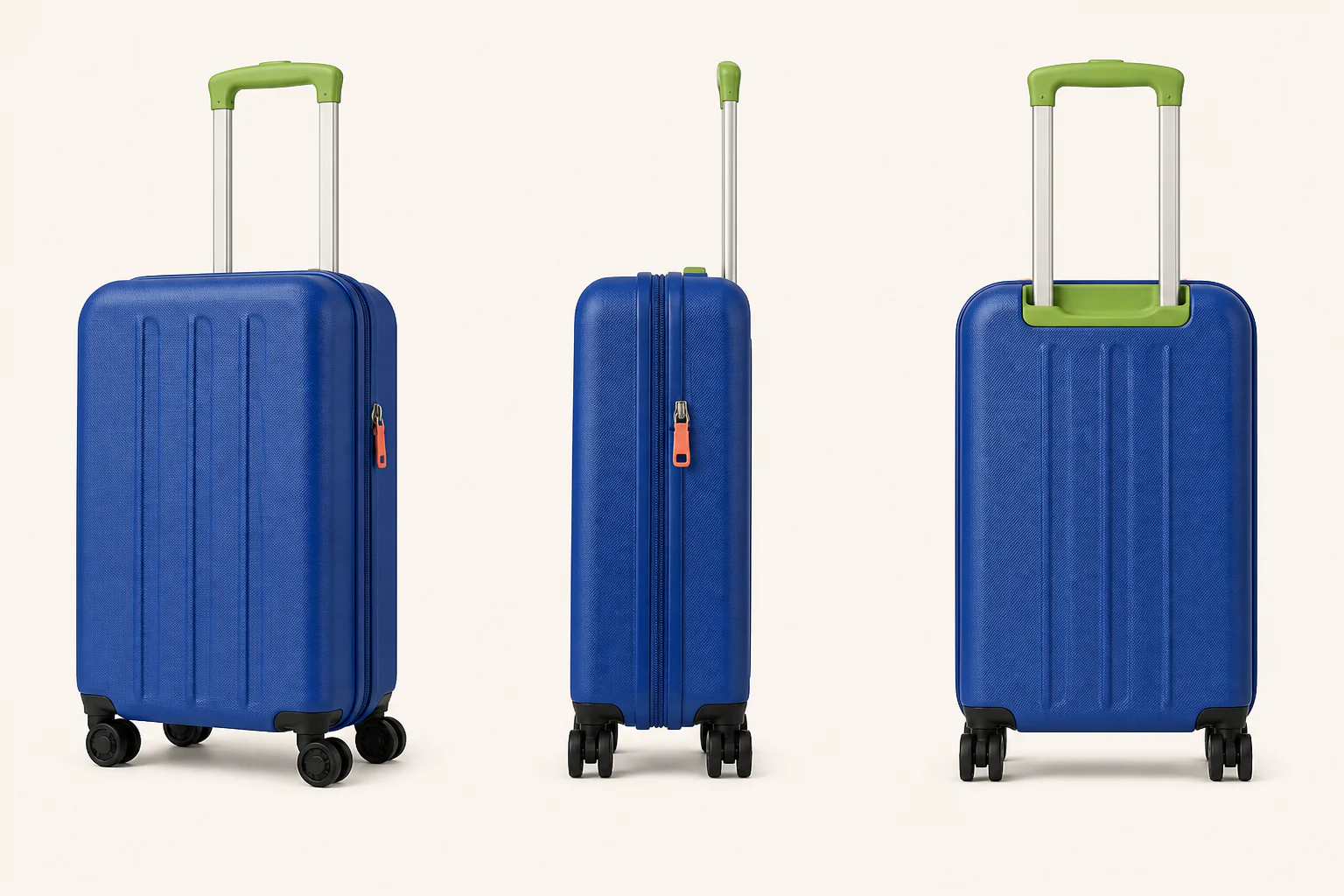
The side and back above are illustrative AI estimates—not recovered facts about a hidden surface.
Sent to the image provider only after you start generation.
1/3 selected
Example angle set
AI infers hidden geometry. Compare every result with the real product before using it in a listing.
Built for review, not blind trust
Useful angle work starts with a clear definition of what must stay true. Every result keeps the original nearby and calls out the five checks the output must pass.
Silhouette, depth and component count
True finish, contrast and material response
Placement, orientation and proportions
Labels, packaging claims and small copy
Scale between every visible part
How it works
Start with one sharp JPG, PNG or WebP. Keep the full silhouette visible and the background quiet.
Choose front, left or right 45°, side 90°, back 180° or top-down, plus the target aspect ratio.
Compare each independent output with the reference. Download only the views that preserve the real product well enough for your use.
Made for the missing PDP slot
The honest limitation
AI can create a plausible missing view, but it cannot recover facts the source photo never showed. Use an actual second reference or final photography whenever hidden details affect safety, regulation, compatibility or buyer expectations.
Questions before you generate
No. AI infers surfaces that the reference photo does not show. Use a real side or back reference whenever exact geometry, ports, labels or safety details matter.
They can change. Compare every generated view with the real product and do not publish an image with altered branding, labels, claims or proportions.
Use a sharp, well-lit image with one complete product, an unobstructed silhouette and a simple background. Avoid hands, severe reflections, cropped edges and heavy perspective distortion.
Yes. Choose up to three views or select the Front, Side and Back Listing Pack in one click. Each view is generated independently, successful images stay available if another fails, and only delivered images consume Credits.
Only if you have the necessary rights and the result accurately represents the item. SKU Angles does not certify marketplace compliance, so review the image and the current marketplace rules first.
Selection starts with a local browser preview. When you generate, SKU Angles forwards the photo and instructions through New API and its upstream image provider. The SKU Angles application does not intentionally persist source or generated images; provider processing is described on the Privacy page.
You can explore the tool without an account. Google sign-in adds one SKU Angles welcome credit. Paid checkout stays disabled unless the exact verified Stripe plans are active.
Your next angle starts here